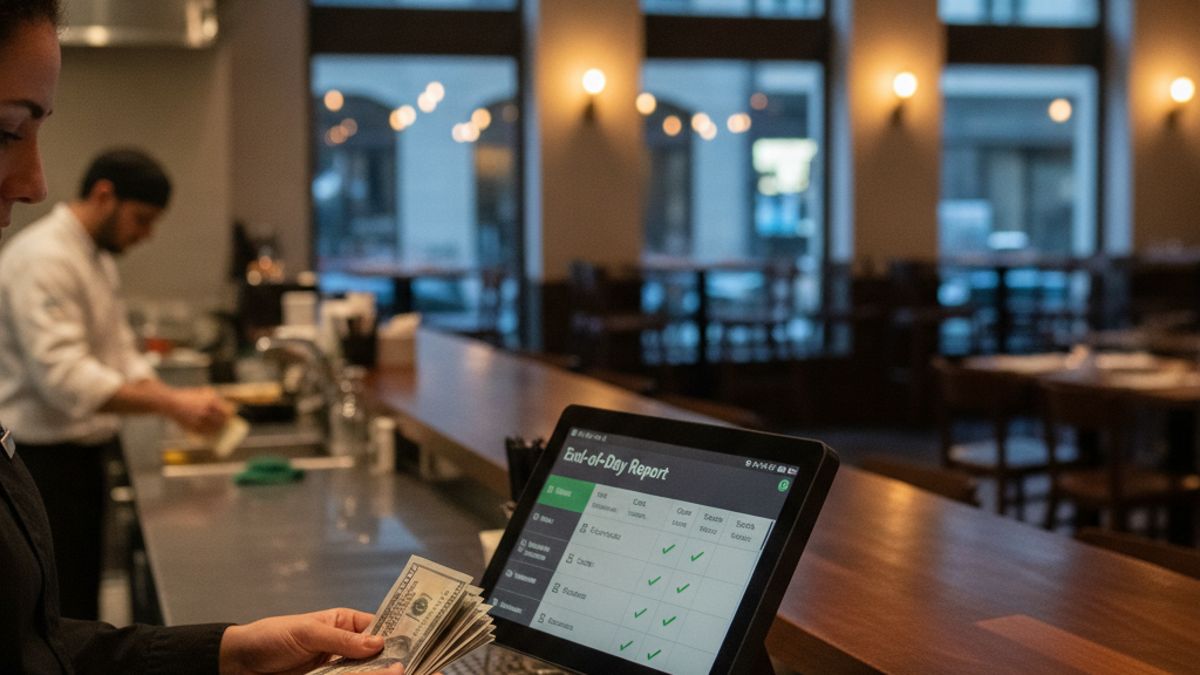
End-of-day cashing up checklist for restaurants: mastering reconciliation with a modern POS system
The final hour of a restaurant shift is often the most exhausting part of the day. The last guests have finally left, the kitchen staff are scrubbing down their stations, and the front-of-house team is desperate to go home. However, before anyone can lock the doors, the manager must face the dreaded till. If you are still relying on a scattered approach to balancing your registers, closing out your venue can easily take an extra hour of unpaid or overtime labour. This is where a clear end-of-day cashing up checklist for restaurants becomes your most valuable operational tool. A structured routine removes the guesswork, prevents theft, and ensures your accounting is perfectly aligned for the next trading day.
When combined with the right digital tools, this nightly routine transforms from a stressful mathematics exam into a simple, five-minute audit. The key to this transformation is adopting structured workflows that integrate perfectly with your daily operations. In this comprehensive guide, we will walk you through the ultimate end of day reconciliation checklist. We will cover everything from closing open tables to investigating cash discrepancies, ensuring your independent restaurant operates smoothly, securely, and profitably.
Contents
- Why a manual cashing up process hurts your restaurant
- The crucial role of a modern POS system in end-of-day reconciliation
- Step 1: verifying all open tables and tabs are closed
- Step 2: reconciling card payments and integrated terminals
- Step 3: balancing the physical cash drawer
- How to investigate cash discrepancies during your end-of-day routine
- Step 4: managing digital tipping and staff payouts
- Step 5: generating and reviewing the daily sales report
- Step 6: preparing the float for the next morning
- How cloud technology protects your data during internet outages
- Transitioning your restaurant tech stack without losing data
- Conclusion: streamline your nights with an all-in-one platform
Why a manual cashing up process hurts your restaurant
For decades, hospitality managers have accepted late nights and calculator errors as a standard part of the job. A traditional manual cashing up process involves printing a long paper receipt, counting heaps of coins, and cross-referencing credit card slips. This archaic method is not just frustrating; it actively damages your business. When staff are tired at one in the morning, human error is inevitable. A simple miscalculation can lead to a manager staying an extra hour trying to find a missing ten-pound note.
Moreover, manual reconciliation creates significant security vulnerabilities. When the actual cash count is not strictly verified against a tamper-proof digital record, it leaves room for accidental loss or intentional skimming. If a staff member knows the manager is too tired to double-check the receipts properly, the temptation to pocket a forgotten cash payment increases. Beyond theft, these manual errors wreak havoc on your accounting. When the monthly numbers do not add up, your bookkeeper must spend hours chasing phantom discrepancies, costing you even more money in administrative fees.
Staff retention is another hidden casualty of manual closing routines. Independent restaurant operators often struggle to keep good managers. If your closing managers are consistently forced to stay late because of a convoluted cash-out process, they will eventually burn out and leave for a venue that values their time. By modernising your approach, you show your team that you respect their work-life balance.
The crucial role of a modern POS system in end-of-day reconciliation
The foundation of a stress-free closing shift is reliable technology. Today, modern POS systems do the heavy lifting for you throughout the day, meaning the closing process is merely a matter of verifying data rather than generating it. Every time a waiter processes a payment, splits a bill, or issues a refund, the software records the transaction in real time. This continuous tracking eliminates the need to manually add up receipts at midnight.
A well-designed platform aggregates all this data into a centralised dashboard. It knows exactly how much cash should be in the drawer, how much was processed through card machines, and how much is owed in tips. Proper end of day reconciliation becomes a quick comparison between the system's expected totals and the physical reality of the till. If there is a mismatch, the software immediately highlights the exact transaction type that caused the issue, allowing managers to investigate swiftly.
Furthermore, cloud-based architecture ensures that this data is instantly backed up and accessible to the restaurant owner off-site. You no longer need to wait for a manager to text you the daily sales figures. You can simply log into your phone and watch the closing report generate in real time. This level of transparency and efficiency is exactly why upgrading your technology is critical for independent European restaurants.
Step 1: verifying all open tables and tabs are closed
The very first item on your end-of-day cashing up checklist must always be checking for open orders. You cannot accurately reconcile your daily sales if there are still active tables or unresolved tabs in the system. As the final guests depart, the closing manager should review the digital floor plan on the main terminal. Every table must be cleared and settled.
Sometimes, a busy server might take a cash payment and forget to close the table on the system. Other times, a guest might have walked out without paying, or a complimentary meal for a VIP was never officially comped by a manager. Leaving these tables open overnight will distort your sales figures for the current day and corrupt the opening figures for the following morning. It creates a domino effect of accounting nightmares.
Managers should systematically go through any remaining open tickets. If a payment was missed, it must be tracked down. If a meal was wasted or given away, it needs to be processed with the correct discount code or void reason. Only when the active order screen is completely empty can the actual financial reconciliation begin.
Step 2: reconciling card payments and integrated terminals
Card payments make up the vast majority of restaurant revenue across Europe today. Consequently, ensuring your card machines match your till is a massive part of the closing routine. Historically, venues used standalone card readers. The waiter would read the total on the till, manually type that amount into the card machine, and hope they did not make a mistake. This manual entry is the leading cause of payment discrepancies.
If a guest's bill is 65.00 EUR and the waiter accidentally types 56.00 EUR into a standalone terminal, the business loses nine euros instantly. You will only discover this error during closing, at which point the customer is long gone. This highlights the enormous operational difference between integrated payments vs standalone card terminals. With an integrated setup, the POS pushes the exact bill amount directly to the card reader. The waiter cannot alter it, completely eliminating keystroke errors.
During the cashing up process, managers using integrated terminals merely need to print the end-of-day summary from the card machine and compare it to the card sales report on the main screen. Because the systems talk to each other automatically, these two numbers should always match perfectly. If they do not, it usually indicates a connectivity issue or a terminal that was taken offline, which can be quickly traced in the digital log.
Step 3: balancing the physical cash drawer
Despite the rise of digital transactions, physical cash still requires careful management. The third step in your checklist is counting the physical money in the till. Before starting the count, the manager must print a blind expected cash report. A blind count means the manager counts the money before seeing what the system expects. This prevents staff from forcing the numbers to match and hides potential skimming.
First, remove the starting float from the total count. For example, if your till started with 200 EUR in change, separate that immediately. Next, count the remaining cash. This figure represents your actual cash intake for the day. You must also account for any petty cash payouts. If the chef took 15 EUR from the till to buy emergency milk from the local shop, there must be a valid receipt in the drawer, and this payout must be logged in the system.
Once you have your final actual cash figure, compare it to the system's expected cash figure. A small variance of a few coins is common and usually the result of minor change errors during a busy lunch rush. However, any significant discrepancy must be noted and investigated immediately. A robust system will allow you to log this variance digitally, attaching a manager's note for the accounting team to review.
How to investigate cash discrepancies during your end-of-day routine
Finding a discrepancy between the physical cash and the digital report is frustrating, but panicking will not help. Your checklist should include a standard operating procedure for investigating missing funds. Start by recounting the drawer. It sounds obvious, but simple counting errors are incredibly common after a twelve-hour shift. Two stuck banknotes can easily make you think you are fifty euros short.
If the recount yields the same result, check the physical space around the till. Notes can slip under the cash drawer insert or fall behind the counter. Next, review all petty cash receipts and refunds. Did a manager process a cash refund but forget to physically hand the money to the customer, leaving you over? Did someone take money for a supplier delivery but fail to log the expense digitally?
Your software is your best detective in these scenarios. A comprehensive platform will offer an audit trail. You can filter the day's transactions by cash payments and look for anomalies. Did a specific staff member process an unusually high number of voided items right after taking cash orders? Having this data at your fingertips turns a potential loss into a solvable operational issue, deterring future internal theft.
Step 4: managing digital tipping and staff payouts
Handling gratuities has become increasingly complex. In the past, waitstaff simply emptied their pockets of coins at the end of the shift. Today, the majority of tips are left via credit card or digital ordering apps. This shift means that management must take an active role in calculating and distributing these funds fairly, while also adhering to local tax regulations.
Your end-of-day reconciliation must include a clear process for separating tips from the restaurant's revenue. Navigating digital tipping in European restaurants requires careful attention to compliance. Whether you use a TRONC system in the UK or similar tip-pooling arrangements elsewhere, the software should automatically calculate how much is owed to the staff based on hours worked or sales generated.
Decide on your payout policy. Some restaurants still pay out credit card tips in cash at the end of the night. If you do this, you must physically remove that cash from the till, leaving a negative cash balance that your software must account for. However, a much safer and increasingly popular method is to add digital tips to the employees' weekly or monthly paychecks. Whichever method you choose, it must be executed consistently during the closing routine to maintain staff trust and morale.
Step 5: generating and reviewing the daily sales report
Once all tables are closed, cards are reconciled, cash is counted, and tips are allocated, it is time to finalise the day. The manager must generate the final Z-report. A Z-report closes the current trading session and resets the daily totals to zero, preparing the system for the next day. Before pressing that final button, the manager should briefly review the data for any obvious red flags.
Look at the breakdown of sales categories. Does the ratio of food to beverage sales look normal for a Tuesday? Are the discounts within an acceptable range? Modern platforms allow you to categorise revenue meticulously, separating standard VAT items from alcohol or zero-rated takeaway goods. This precise breakdown is essential for accurate tax reporting and inventory management.
The beauty of a contemporary setup is that this Z-report no longer needs to be physically filed in a dusty cabinet. It is instantly saved to the cloud. The best platforms will also sync this data directly with your accounting software, such as Xero or QuickBooks. This seamless integration means your accountant wakes up the next morning with all the previous day's financial data already reconciled and categorised, saving you substantial bookkeeping fees.
Step 6: preparing the float for the next morning
A good closing routine is essentially the first step of a good opening routine. The final physical task on your cashing up checklist should be preparing the till for the next day. The opening team should never have to scramble for small change while the first customers are waiting to pay for their morning coffees.
Take the starting float amount that you separated earlier and ensure it contains a healthy mix of coins and small notes. If you are running low on specific coins, the closing manager should leave a note for the morning supervisor to visit the bank. Place this prepared float securely back into the till drawer or the designated safe.
The remaining cash, which represents your daily cash profit, must be secured in a tamper-proof drop bag. The manager should log the exact amount of the cash drop in the system, seal the bag, and drop it into the main safe for the owner or security company to collect. Following this strict chain of custody protects your managers from false accusations if money goes missing later.
How cloud technology protects your data during internet outages
A common fear among independent operators is what happens to their cloud-based system if the internet drops ten minutes before closing. In a legacy system, an internet outage might mean you cannot process cards, but at least your internal network keeps the sales data. However, the best cloud solutions have evolved to handle this exact scenario flawlessly.
If your local network goes down, a robust system will switch seamlessly into restaurant POS offline mode. This feature allows your staff to continue taking orders, printing tickets to the kitchen, and, crucially, closing out the till. The software stores all the transaction data locally on the hardware device itself.
When the internet connection is eventually restored, perhaps overnight or the following morning, the system will automatically push all the stored data up to the cloud server. This means your end-of-day reconciliation is never held hostage by a faulty router. You can still print your blind counts, balance the physical drawer, and let your staff go home on time, safe in the knowledge that your analytics will update the moment you are back online.
Transitioning your restaurant tech stack without losing data
If reading this checklist makes you realise how painfully inadequate your current software is, it might be time for an upgrade. Many operators suffer through terrible closing routines because they are terrified of changing their technology. They worry about losing historical sales data or facing days of operational chaos during the switch.
Understanding the difference between cloud-based vs legacy server POS is the first step. Moving from a clunky, on-premise server to an agile cloud platform immediately solves most reconciliation headaches. The migration process does not have to be painful. You can easily switch restaurant POS system by working with a provider that offers guided onboarding and menu importation.
A proper transition involves running a test closing routine on the new system before it goes live. This allows your managers to familiarise themselves with the new end-of-day checklist without the pressure of a real shift. By investing a small amount of time in training upfront, you will save hundreds of hours in administrative labour over the coming years.
Conclusion: streamline your nights with an all-in-one platform
The end-of-day cashing up checklist for restaurants should be a quick, definitive end to the working day, not a frustrating puzzle that keeps your staff awake. By implementing a strict, step-by-step routine, you eliminate errors, secure your revenue, and provide your management team with much-needed peace of mind. Verifying open tables, integrating your card terminals, and conducting blind cash counts are non-negotiable practices for any serious hospitality operator.
However, the true secret to effortless end of day reconciliation lies in the technology that powers your venue. Manual counting and disjointed reporting will always leave room for mistakes. Upgrading to a cohesive digital ecosystem centralises your data, automating the tedious mathematics that used to take hours.
Tayim offers an all-in-one platform designed specifically for independent European restaurants. With integrated payments, intuitive reporting, and robust offline capabilities, Tayim transforms your closing shift into a simple, five-minute task. Best of all, with a transparent flat-fee model and zero-commission ordering, you can modernise your entire operation without destroying your profit margins. Empower your staff, secure your cash, and finally get some rest.
Tags
Why Tayim?
- Zero commission - we take no percentage of your orders, unlike Glovo or UberEats which charge 15-30%
- All-in-one platform - POS, KDS, online ordering, delivery management, and analytics in one system
- Transparent pricing - free plan available, Solo at EUR 39/month, Multi at EUR 119/month
- Fully white-label - your customers see only your brand, not ours
- Custom on demand - we adapt the platform for any language, country, or specific need
Ready to modernize your restaurant?
Discover how Tayim can simplify your operations and eliminate commissions.